Resume templates that stay readable for people and software
Pick a resume template, fill it in the editor and download a text-based PDF. The three free resume templates cost nothing, have no watermark and need no account; 12 premium designs come with matching cover letter layouts for a one-time US$9. Every resume template here is one reading column with real text, so it is ATS-friendly by construction.
- 15 templates, all one reading column
- Free PDF download, no watermark
- No sign-up, resume text stays in your browser
Free resume templates
Three simple resume templates you can use as often as you like. Download the PDF, print it, or copy a plain text version for online forms. No trial, no watermark, nothing to cancel.
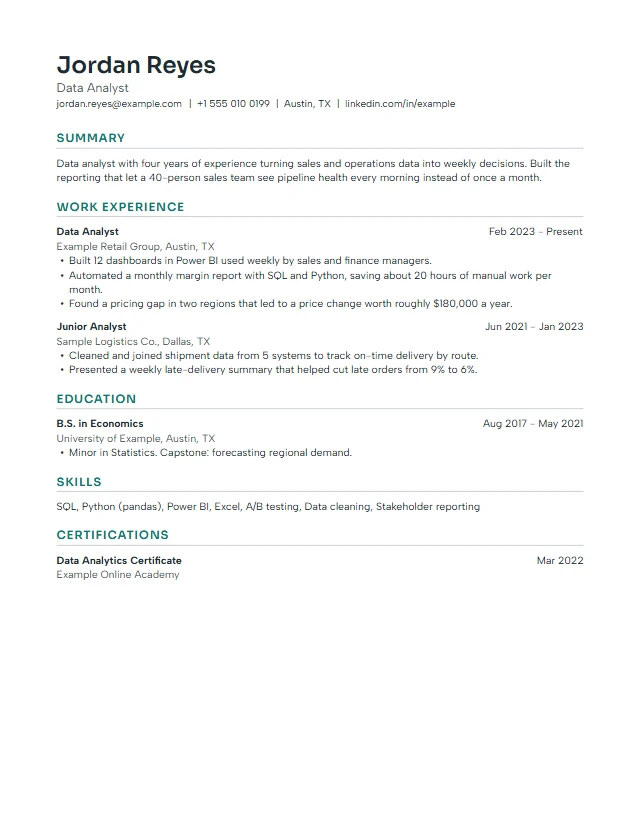
CleanFree
Left-aligned sans serif with teal headings and thin rules. A safe default for most roles.
- ATS-strict
- One column
- Sans serif
- Free
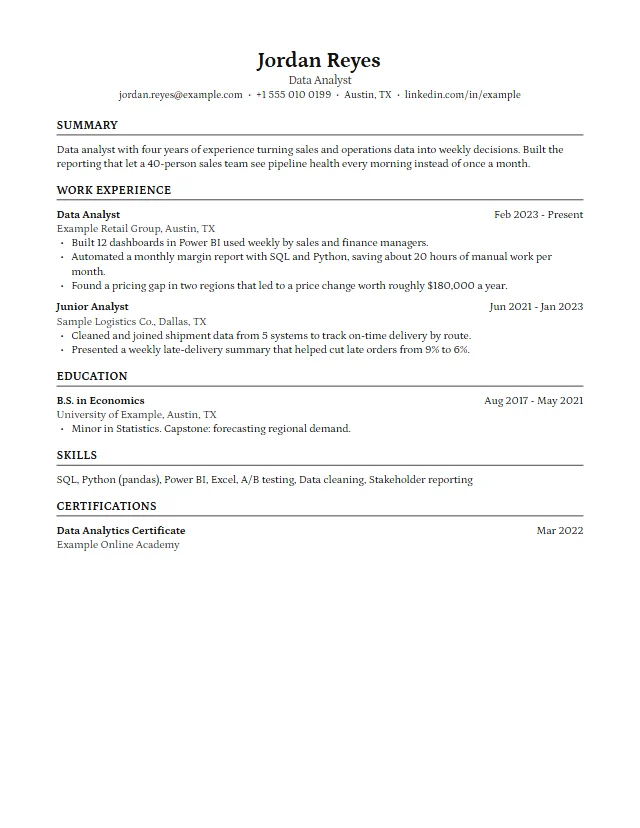
HarvardFree
Classic serif layout with a centred header and ruled headings, in the style of university career offices.
- ATS-strict
- One column
- Serif
- Free
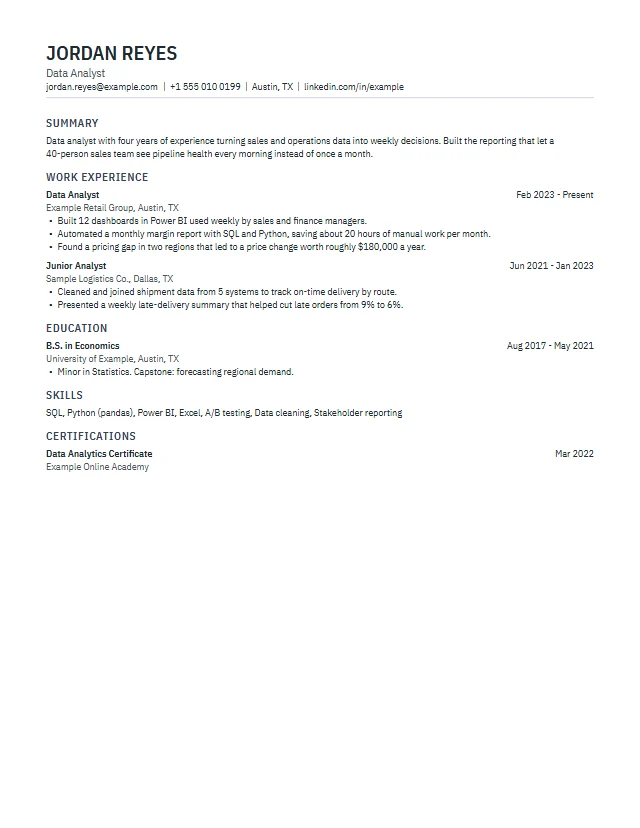
CompactFree
Condensed type and tighter spacing for when everything has to fit on one page.
- ATS-strict
- One column
- Condensed
- Free
ATS-friendly resume templates for strict portals
Every template on this page keeps one reading column and real text. These nine also avoid colour bands and tinted headings, which makes them the calmest choice when you apply through a large company portal or print in black and white. How we test them is on the ATS test method page.
Premium resume templates
Twelve designs with more character: header bands, side headings, accent bars and new font pairs. Each one has a matching cover letter and career letter design. They unlock with the Premium Pass, a single US$9 payment with no subscription.
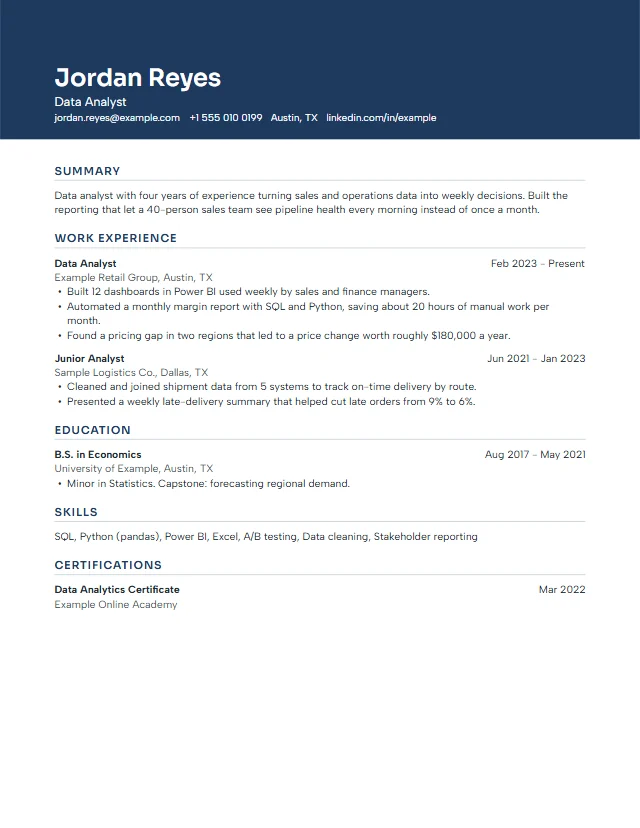
SummitPremium
A full-width colour band holds your name and contact line; the body stays plain and readable.
- Header band
- Sora + Albert Sans
Letterhead on the same colour band
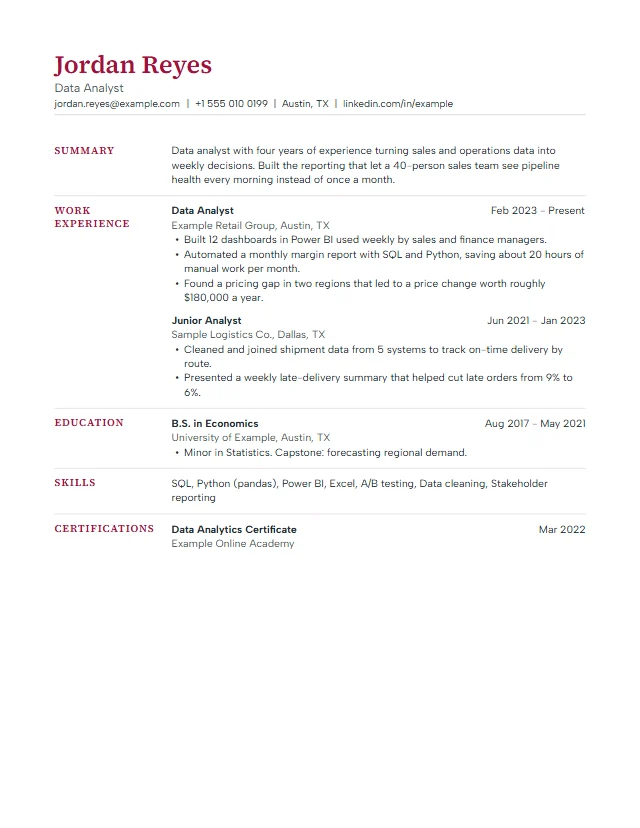
MeridianPremium
Section headings sit in a narrow left column, so dates and job titles line up cleanly on the right.
- ATS-strict
- Side headings
- Source Serif 4
Serif letterhead with a thin rule
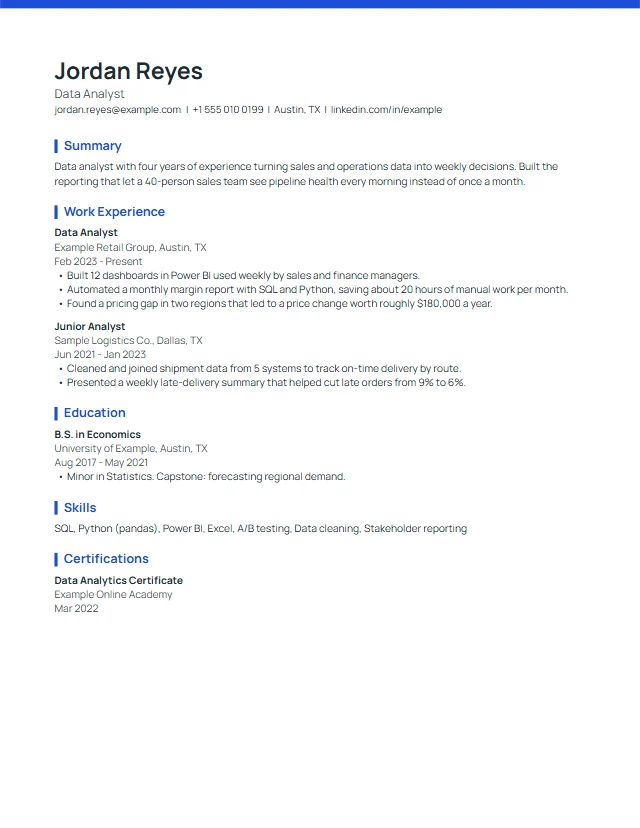
AtlasPremium
A slim accent bar across the top and short heading markers. Dates sit under each role.
- ATS-strict
- Top bar
- Manrope
Matching top bar and Manrope type
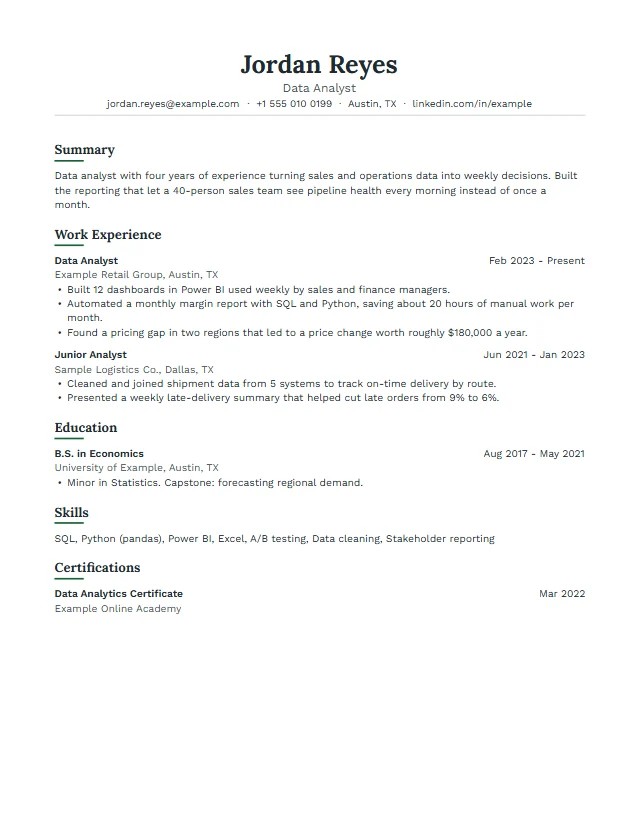
LedgerPremium
Centred serif name, sentence-case headings with a short underline, calm and traditional.
- ATS-strict
- Centred header
- Lora + Work Sans
Centred letterhead in Lora
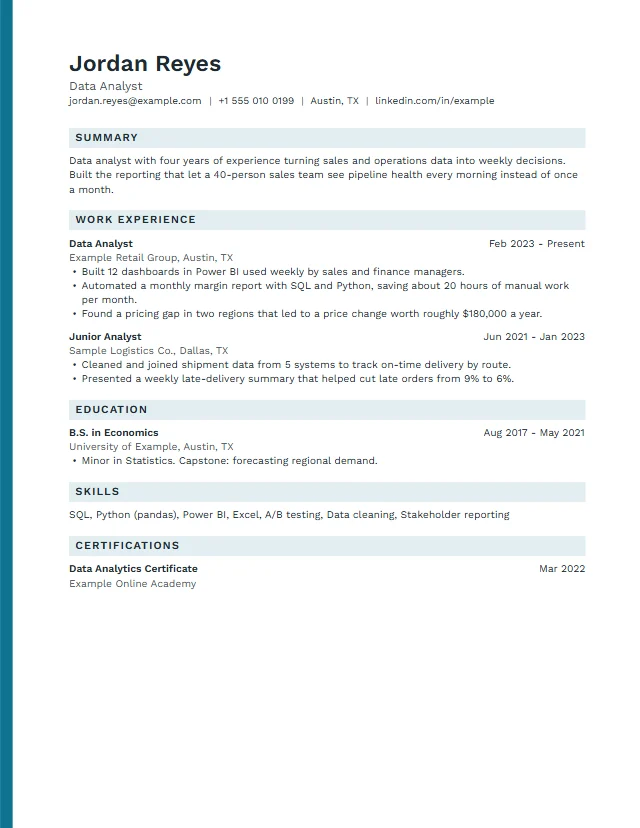
NorthwindPremium
A colour stripe down the left edge and lightly tinted section headings.
- Edge stripe
- Work Sans
Same edge stripe on the letter
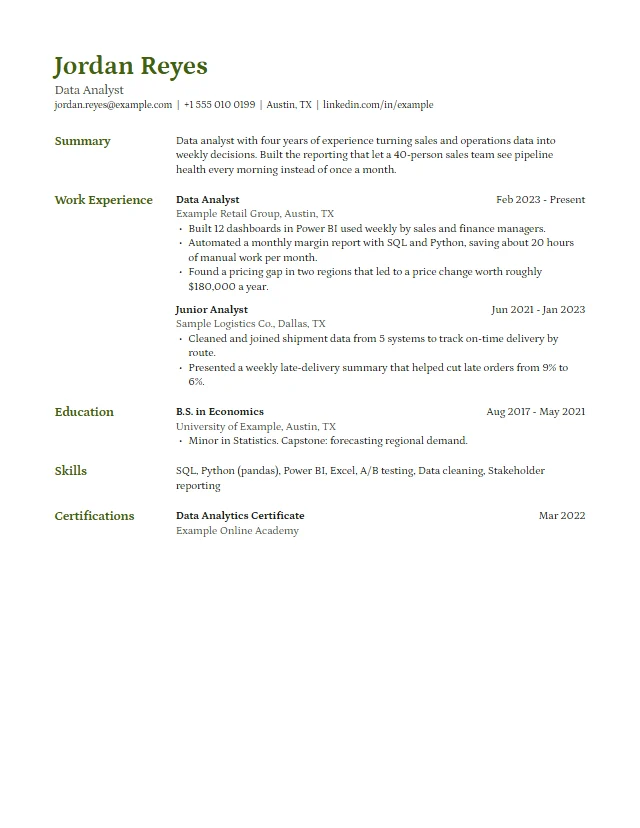
QuillPremium
Petrona serif throughout, a coloured name and side headings for an academic or editorial feel.
- ATS-strict
- Side headings
- Petrona
Serif letter with a coloured name
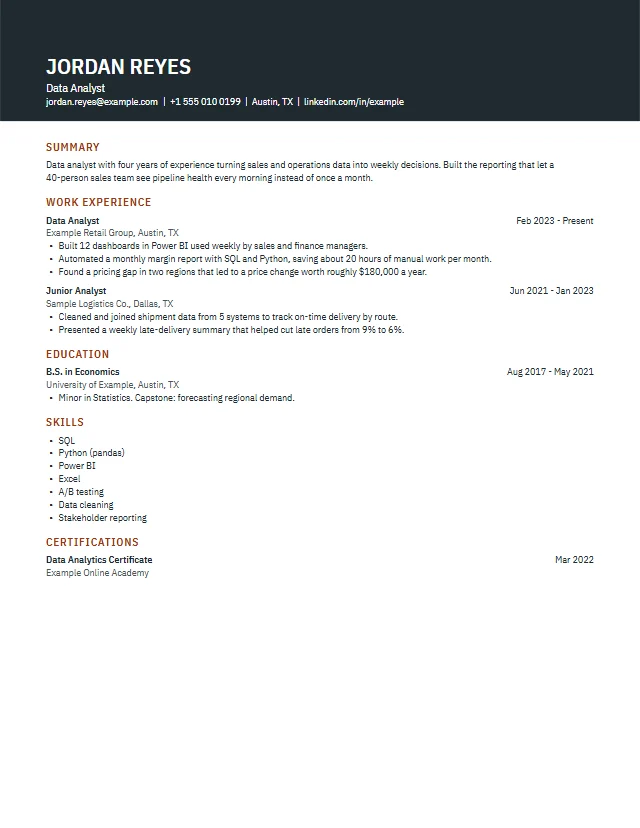
VectorPremium
Dark header band, condensed type and bulleted skills. Fits a lot on one page.
- Dark band
- IBM Plex Sans Condensed
Dark letterhead band
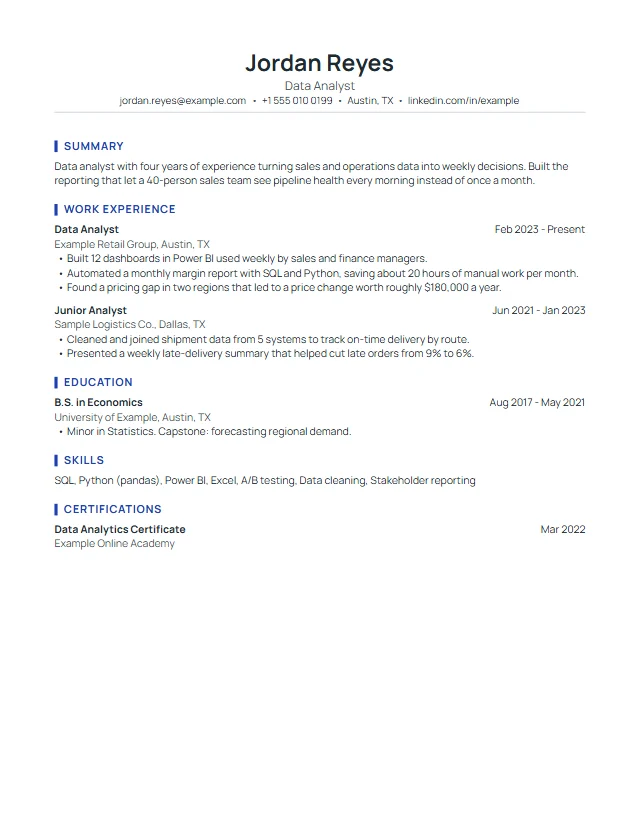
HarborPremium
Centred header with a rule, headings marked by a short vertical bar.
- ATS-strict
- Centred header
- Manrope
Centred letterhead with a rule
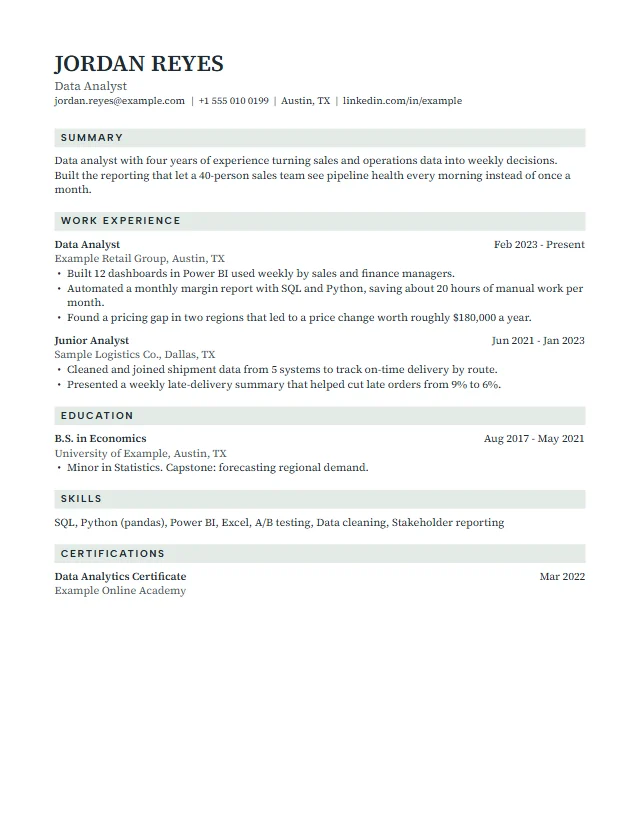
LindenPremium
Serif body with small spaced capitals for headings on a soft tint.
- Tinted headings
- Source Serif 4 + Albert Sans
Serif letter with spaced capitals
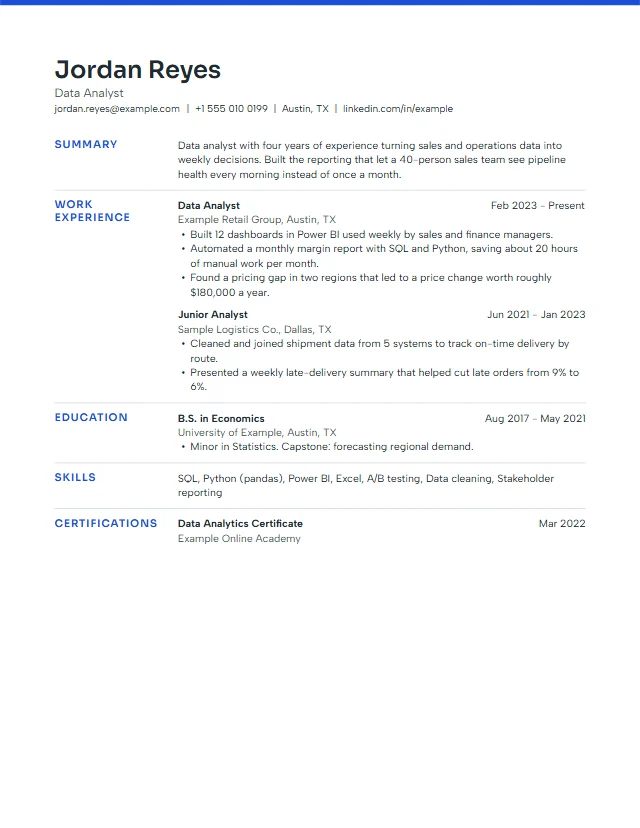
CobaltPremium
Top accent bar plus side headings in colour: modern but still one reading column.
- Top bar
- Side headings
Top bar letterhead
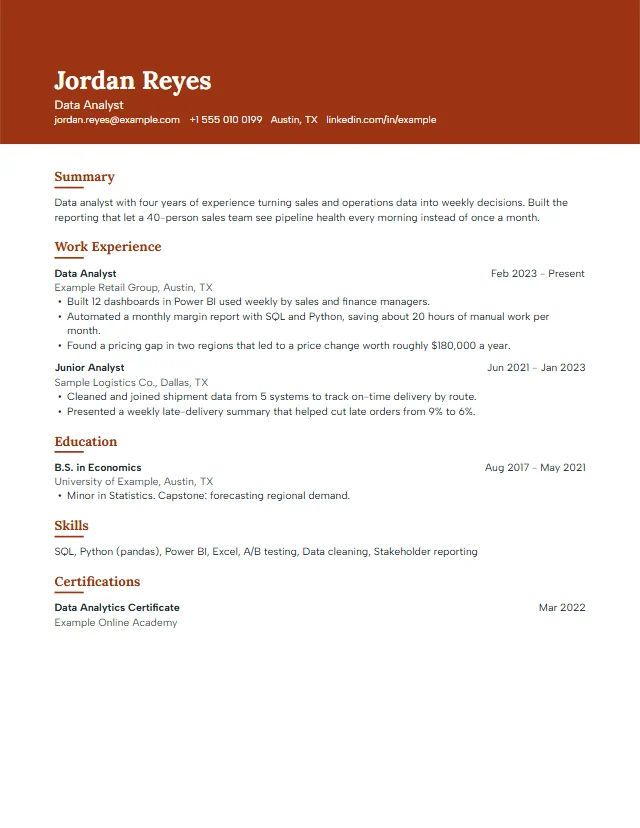
SiennaPremium
Warm colour band, Lora name and underlined sentence-case headings.
- Header band
- Lora + Albert Sans
Warm band letterhead
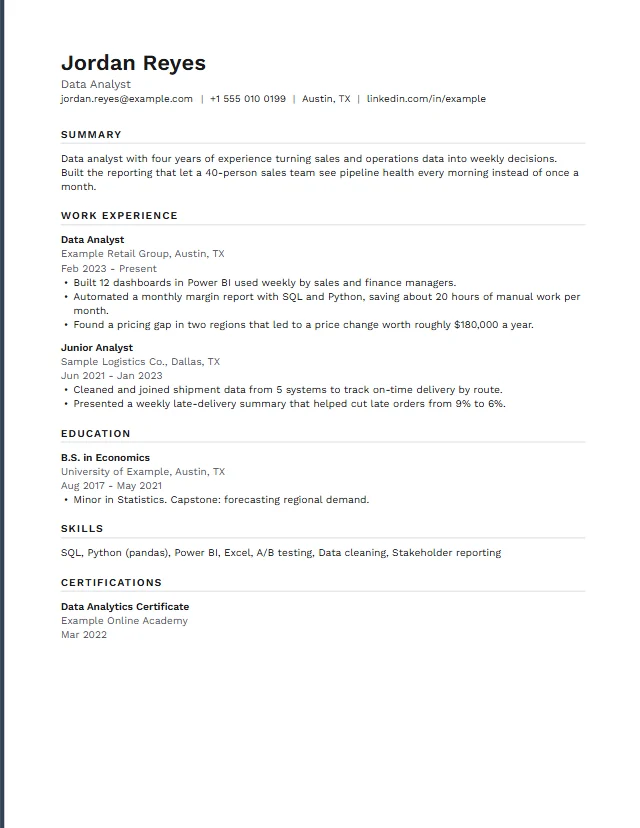
GraphitePremium
Monochrome and minimal: a thin edge line, grey rules and dates under each entry.
- ATS-strict
- Minimal
- Work Sans
Minimal letter with an edge line
How to choose a resume template
Start with the reader. A recruiter skims your resume on a screen, often after an applicant tracking system (ATS) has turned the file into text. A good resume template helps both: clear headings, a predictable order, and enough white space that your results stand out.
Use these questions to narrow the choice:
- Where will you apply? Big company portals and government sites read your file with parsing software. A simple resume template from the ATS-friendly group is the low-risk pick.
- How much do you have to say? Early career and one page: Clean or Harvard. Many roles or long project lists: Compact, Vector or Graphite fit more lines without shrinking the text.
- What does your field expect? Finance, law and academia lean traditional (Harvard, Ledger, Quill). Design, marketing and tech accept a bit more colour (Summit, Sienna, Cobalt).
- Will it be printed? Bands and tints print fine on a colour printer. On a black and white printer, a template with rules and plain headings looks cleaner.
You can switch templates at any time in the editor. Your text stays exactly where it is, only the design changes, so trying three layouts takes a few seconds.
What makes a resume template ATS-friendly
"ATS-friendly" is a promise about structure, not a guarantee of a job interview. Greenhouse, a widely used applicant tracking system, lists the things that cause a failed parse: resumes with graphics, photos or word art, complex layouts with tables, headers and footers, files uploaded as an image, and spaced-out letters. Our templates are built to avoid every item on that list:
- One reading column. Side headings sit next to the text, but the text still reads top to bottom.
- Real, selectable text in the PDF, with fonts embedded. Nothing is turned into a picture.
- No tables, no text boxes, nothing in the page header or footer.
- Standard section names (Experience, Education, Skills), which parsers recognise.
- File sizes far below the upload limits Greenhouse mentions.
Every template, free and premium, goes through the same automated text extraction test before it ships. The details, including what we do not claim, are on the ATS test method page.
Simple resume template or professional design?
A simple resume template is not a weaker resume. Harvard's career office advises listing headings in order of importance and entries in reverse chronological order, and warns that formatting must translate properly when converted to a PDF. Plain layouts make that easy, which is why the free Clean and Harvard templates are popular with experienced people too.
A professional resume template with a colour band or side headings helps when your resume competes on looks as well as content, for example when you email it directly to a hiring manager or hand it out at a career fair. The premium designs add that polish without breaking the one-column rule.
Whatever you pick, the words matter most. Put results first, use numbers where you can, and cut anything the job ad does not ask for. Our guide on how to write a resume walks through each section.
Fonts, colours and size
Prospects, the UK graduate careers service, recommends a clear font at size 10 to 12, with headings at 14 or 16 and in bold. Our templates stay in that range for body text and use open-licence fonts that are embedded in the PDF, so the file looks the same on every computer.
In the editor you can change the accent colour and the font pair on any template, free ones included. The colour picker checks contrast as you choose. If a colour is too light to read as text, it is darkened automatically to at least 4.5:1, the WCAG AA level for normal text, and the editor tells you what changed.
Free resume template download: PDF, print and plain text
Each free resume template downloads as a PDF with no watermark and no sign-up. You can also print straight from the editor or save a plain text version to paste into online application forms. The PDF is real text, so you can select and copy every word in it.
We do not offer a Word or Google Docs file yet. If an employer asks for a .docx, copy the plain text version into their template, or ask whether a PDF is acceptable; Greenhouse, for one, lists PDF among its supported upload formats.
Paper size follows the document type: US Letter for a resume and A4 for a CV, with a switch for both. If you apply in the UK, Europe or Asia, the CV templates page shows the same designs on A4 paper.
Build your resume in the next ten minutes
Open a template, load the example to see how it fills, then replace it with your own details. Everything is saved in this browser.
Open the editorResume template questions
Are these resume templates really free?
Yes. The Clean, Harvard and Compact templates are free to use, edit and download as PDF as often as you like, with no watermark and no account. Only the 12 premium designs need the one-time Premium Pass.
Which resume template is best for applicant tracking systems?
Any template on this page keeps one reading column and real text. For the strictest portals, pick one from the ATS-friendly group, such as Clean, Harvard or Graphite, which use plain headings and no colour band.
Can I download a resume template in Word format?
Not yet. You can download a PDF, print, or save a plain text version. If an employer needs a Word file, paste the plain text into their document.
Can I change the template after I have filled it in?
Yes. Switching templates keeps all your text. You can also change the accent colour and the font pair on any template.
Do I need to create an account?
No. The editor saves your documents in your browser on this device. Download a backup file if you want a copy elsewhere.
What happens when I choose a premium template without a license?
The editor opens and asks for your license code. Until you enter one, you can keep working with the free templates; nothing you typed is lost.
Is a simple resume template enough for an experienced professional?
Often, yes. Many recruiters prefer a plain, well-ordered resume. Choose a premium design if you want more visual identity, for example when you send the file directly to a person.