Harvard resume template, free to fill and download
Our Harvard resume template follows the plain campus style many US career offices teach: a centred name and contact line, capitalised section headings with a rule, and entries in reverse chronological order. It is free, downloads as a text-based PDF without a watermark, and needs no account. Letter and CV is not affiliated with Harvard University; the template is named after the style, not endorsed by the school.
- Free, no watermark, no sign-up
- Serif type with embedded fonts
- US Letter or A4
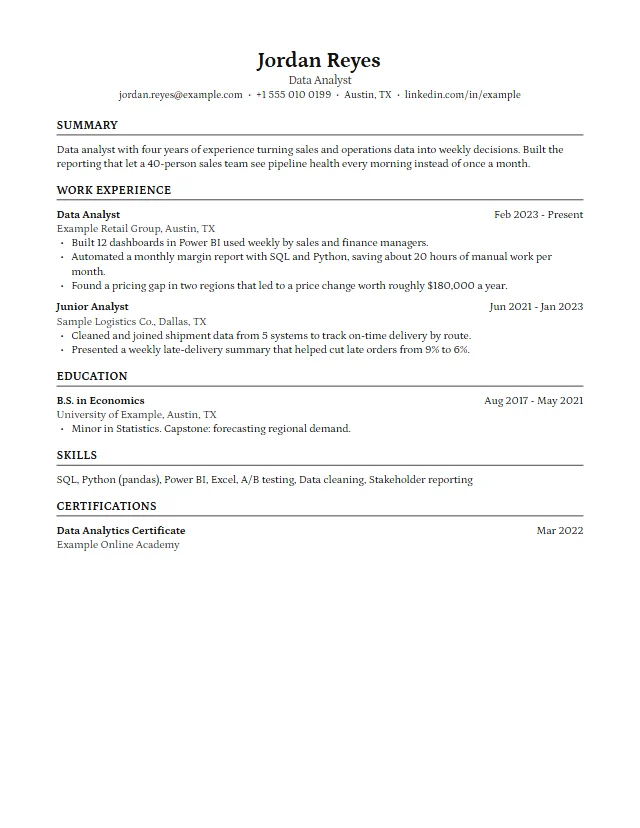
The free Harvard resume template
One page of serif text with clear rules between sections. Open it, type over the sample, and download the PDF.
HarvardFree
Classic serif layout with a centred header and ruled headings, in the style of university career offices.
- One column
- Serif
- Free
Similar classic layouts
If you like the Harvard style but want a little more identity, these premium designs keep the same calm structure with a different font or heading treatment. They are part of the Premium Pass.
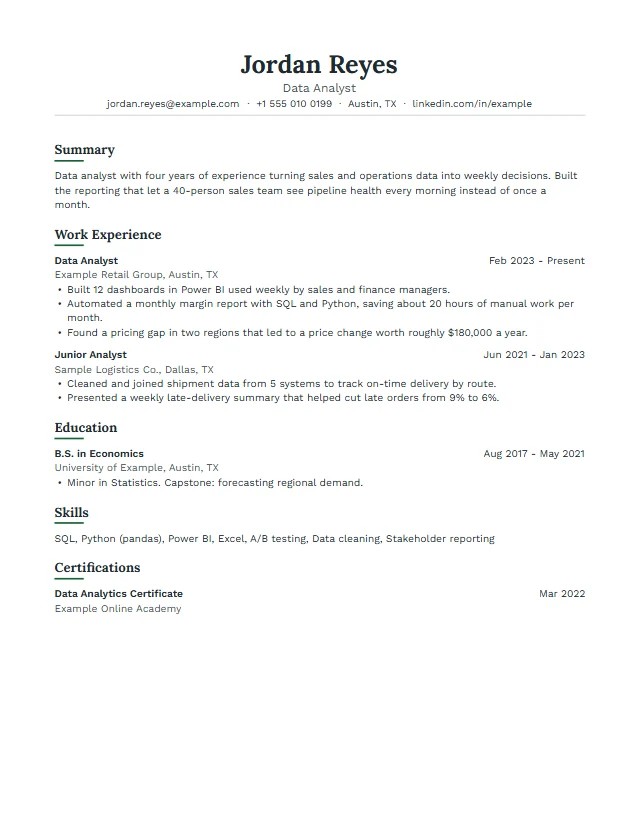
LedgerPremium
Centred serif name, sentence-case headings with a short underline, calm and traditional.
- Centred header
- Lora + Work Sans
Centred letterhead in Lora
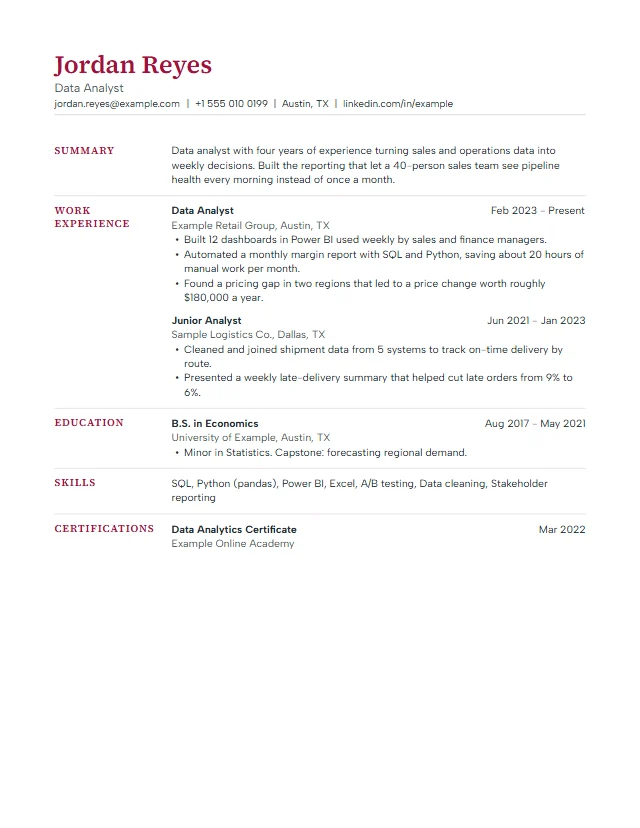
MeridianPremium
Section headings sit in a narrow left column, so dates and job titles line up cleanly on the right.
- Side headings
- Source Serif 4
Serif letterhead with a thin rule
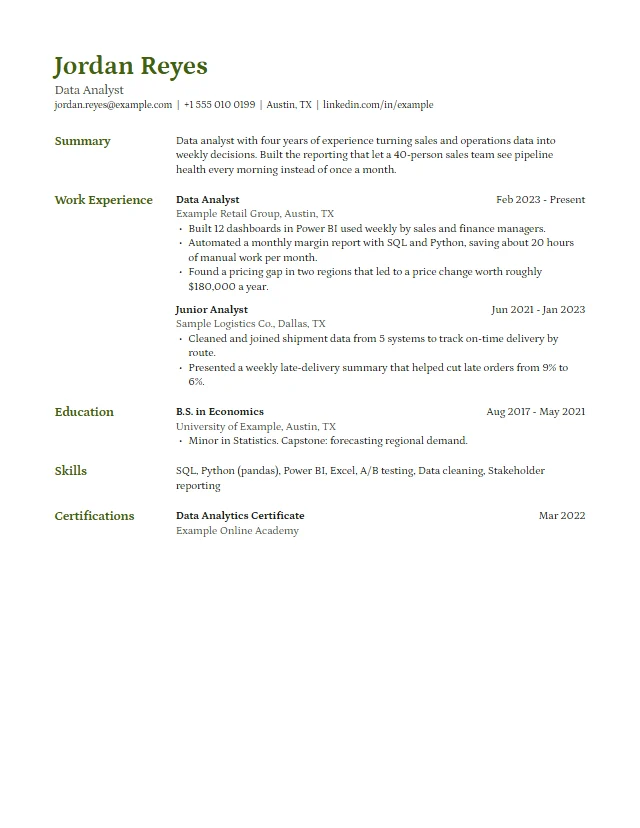
QuillPremium
Petrona serif throughout, a coloured name and side headings for an academic or editorial feel.
- Side headings
- Petrona
Serif letter with a coloured name
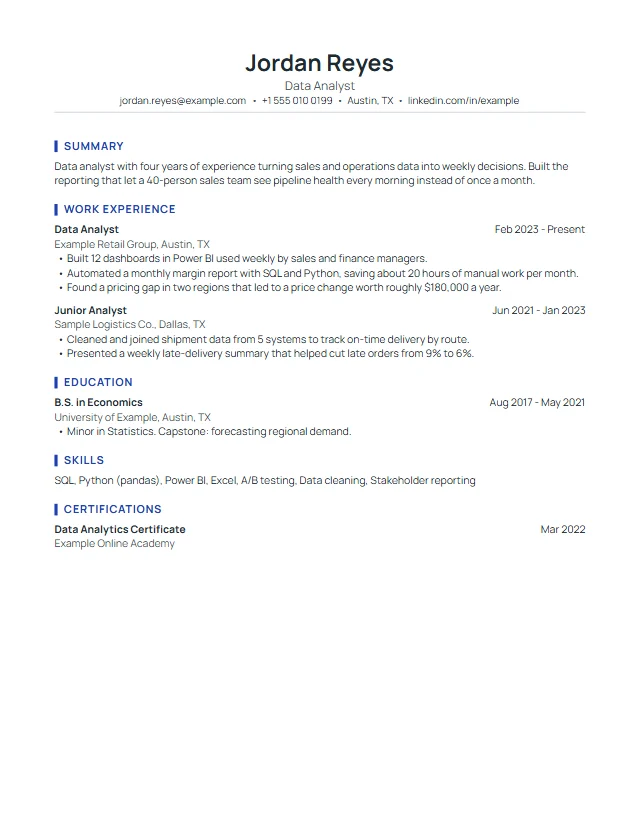
HarborPremium
Centred header with a rule, headings marked by a short vertical bar.
- Centred header
- Manrope
Centred letterhead with a rule
What is the Harvard resume format?
"Harvard resume" is the informal name for the format taught by the Mignone Center for Career Success at Harvard's Faculty of Arts and Sciences in its guide Create a Strong Resume. The guide asks you to list headings such as Experience in order of importance, and within each heading to list information in reverse chronological order, most recent first. The look that grew around it is simple: serif type, a centred header, bold job titles, dates aligned to the right and thin lines under each section heading.
Recruiters like it because it is predictable. They know where to find your current role, your degree and your skills, and nothing on the page competes with the content. Applicant tracking software likes it for the same reason: one column, real text and standard headings.
Harvard resume rules worth keeping
The Harvard FAS guide includes a short list of do's and don'ts. These are the ones that matter most when you fill in the template:
- Do not include a picture, your age or your gender. The guide lists all three under "Don't". Resume mode in our editor has no photo field for that reason.
- Do not use personal pronouns such as I or We. Start bullets with a verb: "Built", "Led", "Reduced".
- Do not list references on the page, and do not start each line with a date. The template puts dates on the right so the first words a reader sees are your job title and results.
- Be specific, active and fact-based. The guide asks for language that is "specific rather than general", "active rather than passive" and that quantifies and qualifies. Its top mistake is "not demonstrating results".
- Check the PDF. The guide warns that your formatting must translate properly when converted to a PDF. Ours is generated directly as a PDF with embedded fonts, so what you see in the preview is what the employer opens.
Sections in a Harvard style resume
A typical order for a student or early career resume is Education, Experience, Leadership and Activities, then Skills and Interests. Once you have a few years of work, move Experience above Education. In the editor you can move any section up or down, rename it, or add custom sections such as Research, Publications or Volunteering.
Each entry has a heading line (organisation or job title), a second line with the location, the dates on the right, and three to five bullets. Two lines per bullet is plenty. If the page runs over, the preview shows the second page immediately, so you can trim before you export.
Harvard CV template for A4 and academic use
The same design works as a Harvard style CV. Switch the editor to CV mode and it changes to A4 paper and allows longer documents, which suits academic applications and jobs outside North America. Many people search for a "cv template harvard" when they mean exactly this: the serif layout on A4. You can also browse the CV templates page for A4 previews of every design.
A cover letter that matches
The Harvard guide recommends that your resume and cover letter use the same font type and size. Our cover letter generator gives you a letter in three tones; keep the fonts consistent with your resume, and keep the letter to a single page, as the same guide advises. The premium designs listed above each come with a matching letter layout.
Harvard resume examples and how to adapt them
Use the "Load it with an example" button to see the template filled with a fictional data analyst. Replace the details one section at a time, and keep the shape: a short headline, two or three roles, each with measurable results. For more filled examples by job, see the resume examples. Before you send it, run the built-in ATS check and read our ATS-friendly resume guide.
Fill the Harvard template now
It takes about ten minutes with your details at hand. Your resume text stays in this browser and the PDF is free.
Open the Harvard templateHarvard resume template questions
Is this the official Harvard resume template?
No. It is our own template in the classic style described by the Harvard FAS Mignone Center for Career Success. Letter and CV is not affiliated with or endorsed by Harvard University.
Is the Harvard resume template free?
Yes. It is one of our three free templates: fill it online, download the PDF without a watermark, and print or reuse it as often as you like.
Can I download it in Word?
A Word file is not available yet. You can download a PDF, print, or save a plain text copy to paste into another document.
Is the Harvard format ATS-friendly?
Yes, it is one of the most parser-friendly layouts: one column, real text, standard headings and no tables or images. No format can guarantee how every system scores a resume.
Should a Harvard resume be one page?
For students and early career applicants, one page is the usual aim. With more experience a second page is fine; the preview shows exactly where the page breaks.
Can I use it as a CV?
Yes. Switch to CV mode in the editor for A4 paper and longer documents, which suits academic and international applications.